
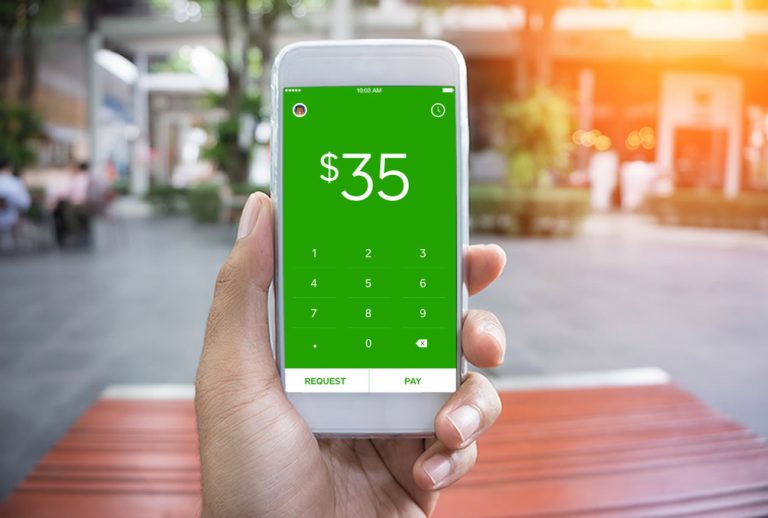
This Cash App review is based on years of real-world use, and I can confidently say it’s transformed how I handle group expenses, whether splitting dinner bills or paying back friends.
The other night I was out to dinner at a local restaurant, when a group of 6 ladies were seated at the next table. The waitress came over to begin taking their drink orders and I overheard one of the ladies say what no waiter or waitress ever wants to hear: “Can we get separate checks?”
The waitress was very nice and with a straight face said “Sure, no problem,” and continued with their drink orders. As someone who waited on many tables myself, I knew that even though her face was saying yes, her brain was actually thinking things like “Really?” and “Are you people kidding?”
Luckily this particular restaurant allowed check splitting. But what if they didn’t? One person would have to sacrifice their credit card for the good of the group and wait, hope, and pray they were paid back. Can anyone say awkward?
Well, guess what? There’s an app for that. It’s called Cash App, and it’s become my go-to solution for sending and receiving money.
What Is Cash App?
Cash App is a free mobile payment service that lets you send and receive money instantly. Think of it as a digital wallet that lives on your phone. Whether you need to split a restaurant bill, pay your roommate for utilities, or collect money for a group vacation, Cash App makes it ridiculously simple.
The best part? It works even if the person you’re sending money to doesn’t have a Cash App account. They’ll receive a link to claim the money, making it more flexible than some competing apps that require both parties to be users.
My Cash App Experience: Real-World Use
Getting Started
Download the app (it’s free for both iPhone and Android), create an account with your email and phone number, and choose your unique $Cashtag. The whole setup takes about 3 minutes.
Linking Your Payment Method
Connect a debit card, credit card, or bank account. You can link multiple options and choose which one to use for each transaction. Cash App uses bank-level security and encryption to protect your information.
Sending Money
Enter the recipient’s email address, phone number, or $Cashtag. Type in the amount you want to send, add an optional note (like “dinner last night” or “your share of the hotel”), and hit send. Done. The money transfers immediately.
Requesting Money
This is where Cash App really shines. Instead of awkwardly reminding your friend they owe you $40, you can send them a payment request through the app. They get a notification, can pay with one tap, and everyone avoids that uncomfortable conversation.
Receiving Money
When someone sends you money, it appears in your Cash App balance instantly. You can leave it there and use it for future Cash App payments, or transfer it to your linked bank account. Standard transfers are free and take 1-3 business days. Instant transfers cost a small fee (typically 1.5% with a minimum of $0.25) but arrive in minutes.
Real-World Scenarios Where Cash App Saves the Day
Group Travel: Planning a trip to Atlantic City for summer fun at Ocean Casino Resort with friends? One person can book the hotel, and everyone else can instantly send their share via Cash App. No more tracking IOUs or waiting weeks for checks to clear.
Restaurant Bills: Remember those 6 ladies from the beginning? With Cash App, one person pays the check, sends payment requests to the group, and gets reimbursed before they even leave the restaurant.
Concert Tickets: Bought tickets for everyone? Share your $Cashtag link and collect payment without the hassle of coordinating five different Venmo requests or PayPal transfers.
Office Collections: Organizing a retirement party or baby shower gift? Create a $Cashtag link and share it with coworkers. They can contribute whatever they want without anyone knowing individual amounts.
Roommate Expenses: Splitting utilities, rent, groceries? Cash App makes monthly payments automatic and trackable. No more “did you pay me back for the electric bill?” conversations.
Small Business: If you have a side hustle, craft business, or provide services, the Cash App business account lets customers pay you easily without expensive payment processing fees.